Category "Watermarking Tips" - page 2

How to Make a Watermark in Photoshop. 3 Different Ways

How to Make a Watermark in Photoshop. 3 Different Ways

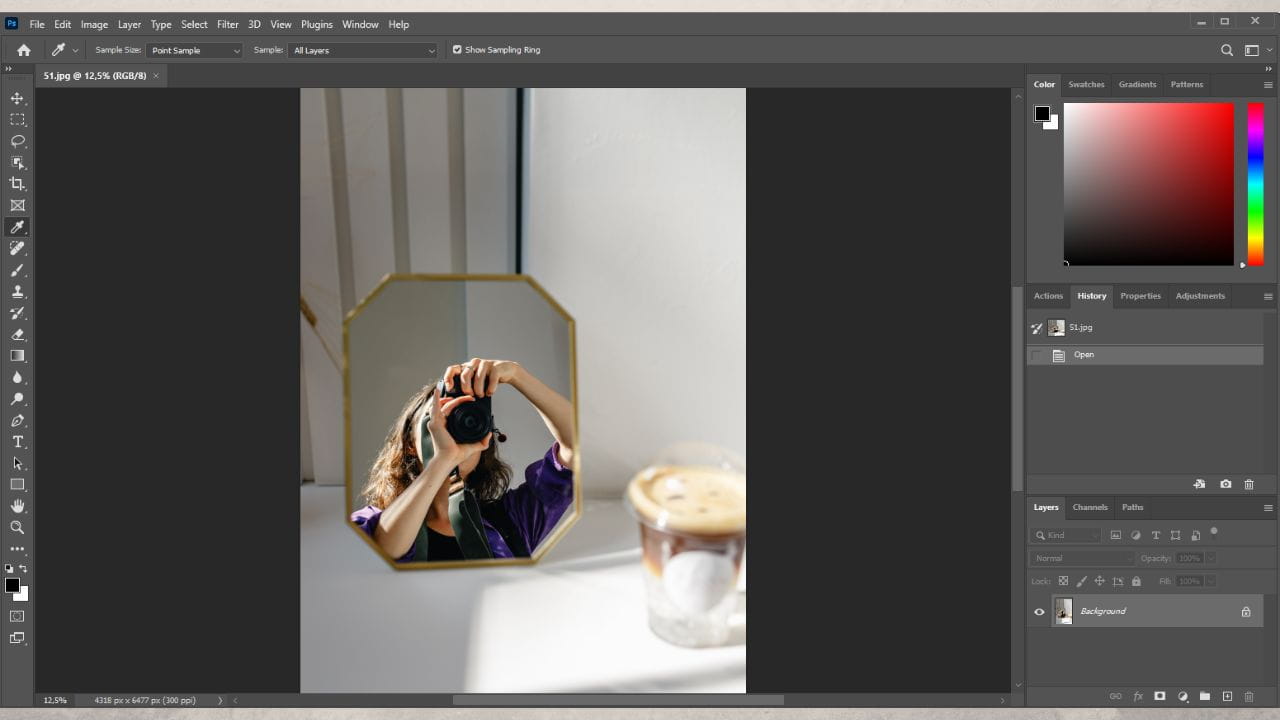
Do you want to know how to make a watermark in Photoshop quickly and effortlessly? This is the right post for you! Here you will learn all about different kinds of watermarks. Don’t worry – it’s not as intimidating as it may seem. Before we move on to actual watermarking, however, there are some preparations that need to be done. First, open Photoshop and upload an image. It can be any image, but it would be better if it’s around the same size as the majority of your photos. Then you need to decide what kind of watermark you want. Let’s take a look at three kinds of watermarks that you can design and apply to your pictures using Photoshop 24.3.0.


How to Watermark Photos on Android in 2026

How to Watermark Photos on Android in 2026

Nowadays, it’s almost expected of you to share photos from your trips or memorable events on your social media. And that’s where you may face some danger. For example, you upload a few images to your Facebook account. A week later, you see those same images on another website or social media account. You’re more than sure that you’ve never uploaded your photos there and no mention of your name is anywhere in sight, which leads you to a horrifying conclusion – your photos have been stolen. Unfortunately, content theft isn’t uncommon – it’s actually awfully widespread, especially on social networks.

What is a Watermark

What is a Watermark

Although the name may be confusing, especially in digital world, a watermark is a mark or lettering superimposed onto the photo showing who its owner is: a photographer, a company or a website. It is a technique known already for ages and is still used for example in marking banknotes. More commonly people associate watermarking with signing the works of art by famous painters, though artist like da Vinci or Picasso did not watermark their pieces, they simply signed it, but the idea of signing someone’s work is applicable.